
Inspect interfaces precisely with rulers, guides, and grids
PinLens adds rulers, draggable guides, and adjustable grids to the live preview window. Guides support color and width settings, while grids support color and size controls for accurate UI alignment and spacing checks.
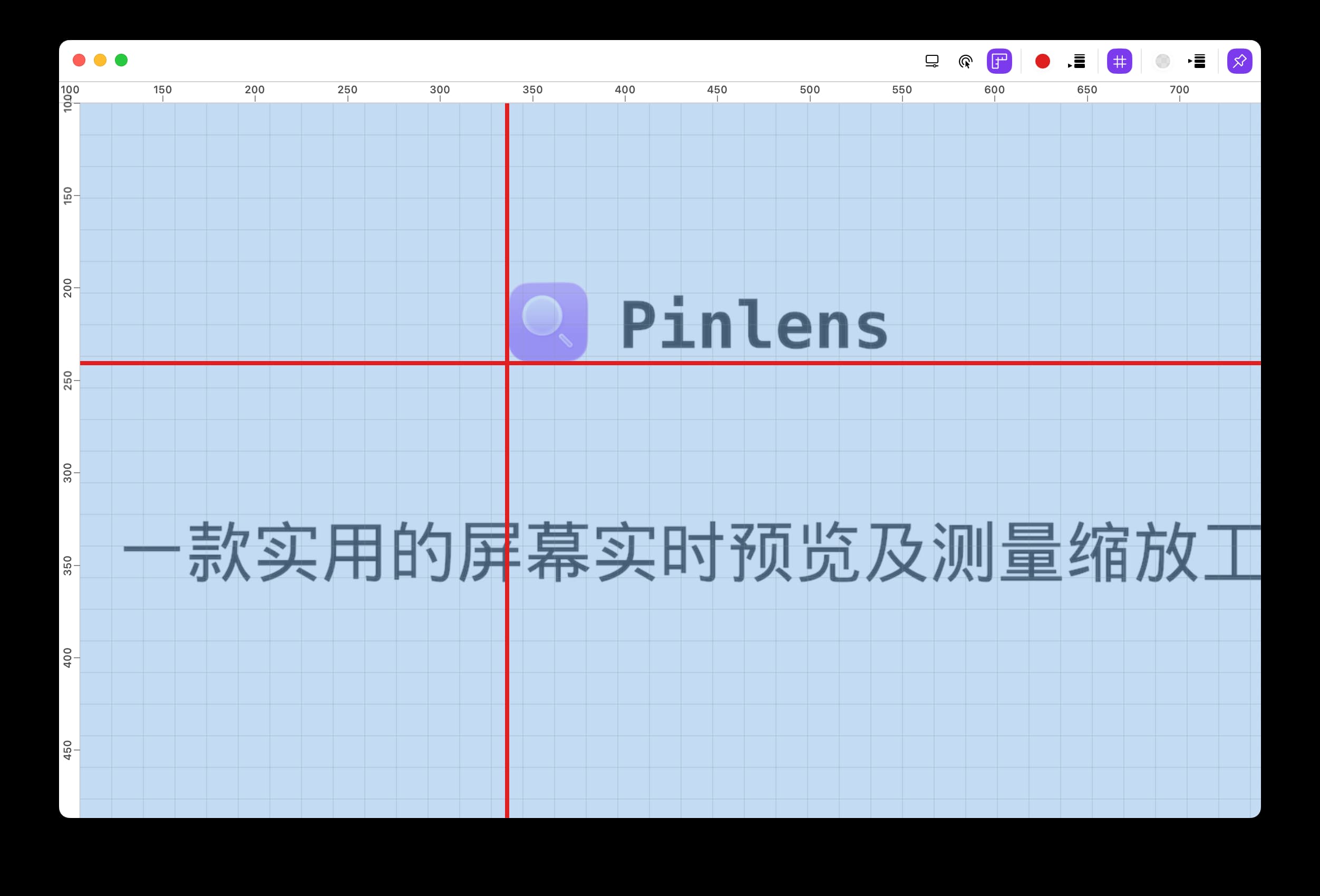
Enable rulers, drag guides, and tune guide color/width plus grid color/size directly inside the preview window
Professional controls for design review
Rulers
Show horizontal and vertical scales around the preview window to judge element position, size, and relative distance.
Draggable guides
Add, drag, and remove guides, then tune their color and line width to check alignment across buttons, text, icons, and layout boundaries.
Adjustable grids
Turn on grids and adjust their color and size to see spacing rhythm clearly across responsive layouts, card arrangements, and component gaps.
Visual aid settings
Configure color, width, and grid size so references stay visible across different backgrounds, brightness levels, and zoom states.